
Students design a complete aquaculture system, and see every calculation behind it
AquaBlueprint is a web-based design platform for recirculating aquaculture systems. For universities, TAFEs and polytechnics, training providers and secondary schools, it turns system design from a static worked example into something students can build, break and fix for themselves. This page shows what they and their teachers see, without anyone needing to sign up first.
System design is hard to teach from a spreadsheet
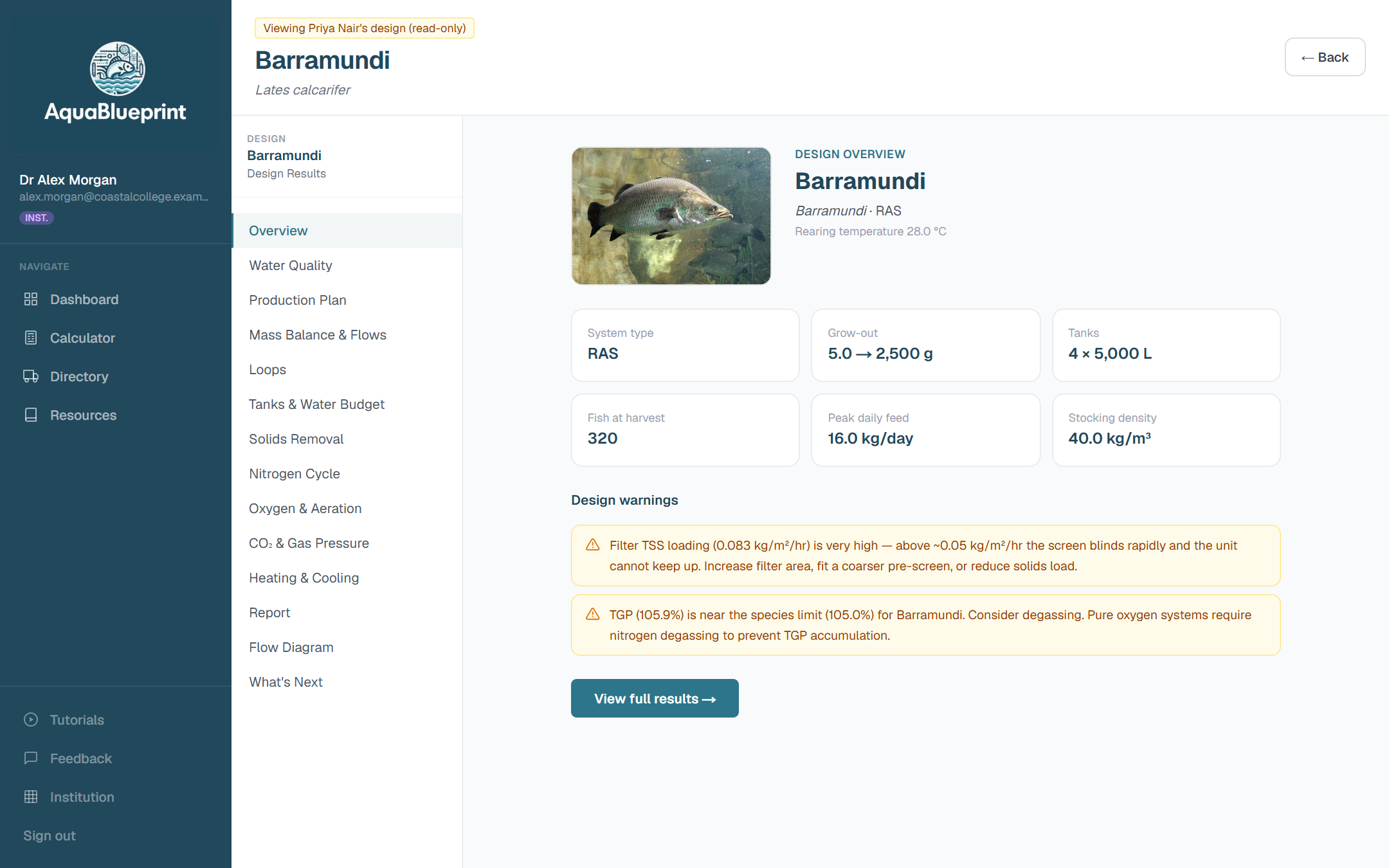
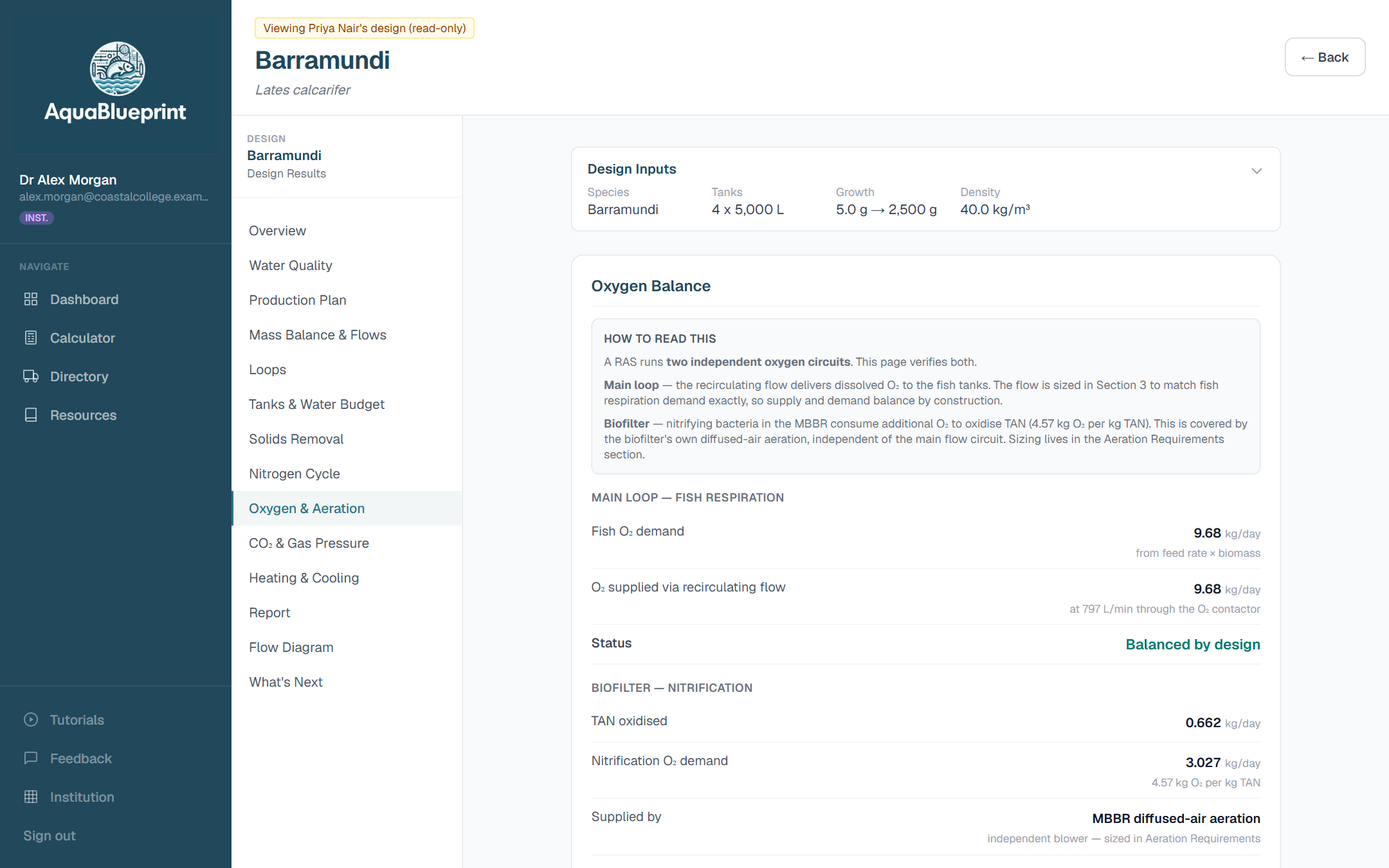
The interesting part of aquaculture system design is how everything depends on everything else. Species sets the water quality limits. Feed drives oxygen demand, ammonia and solids. Those set the flows, and the flows size the biofilter, the pumps and the degassing. Students usually meet this as a worked example on a slide, or as a spreadsheet that takes longer to debug than to learn from.
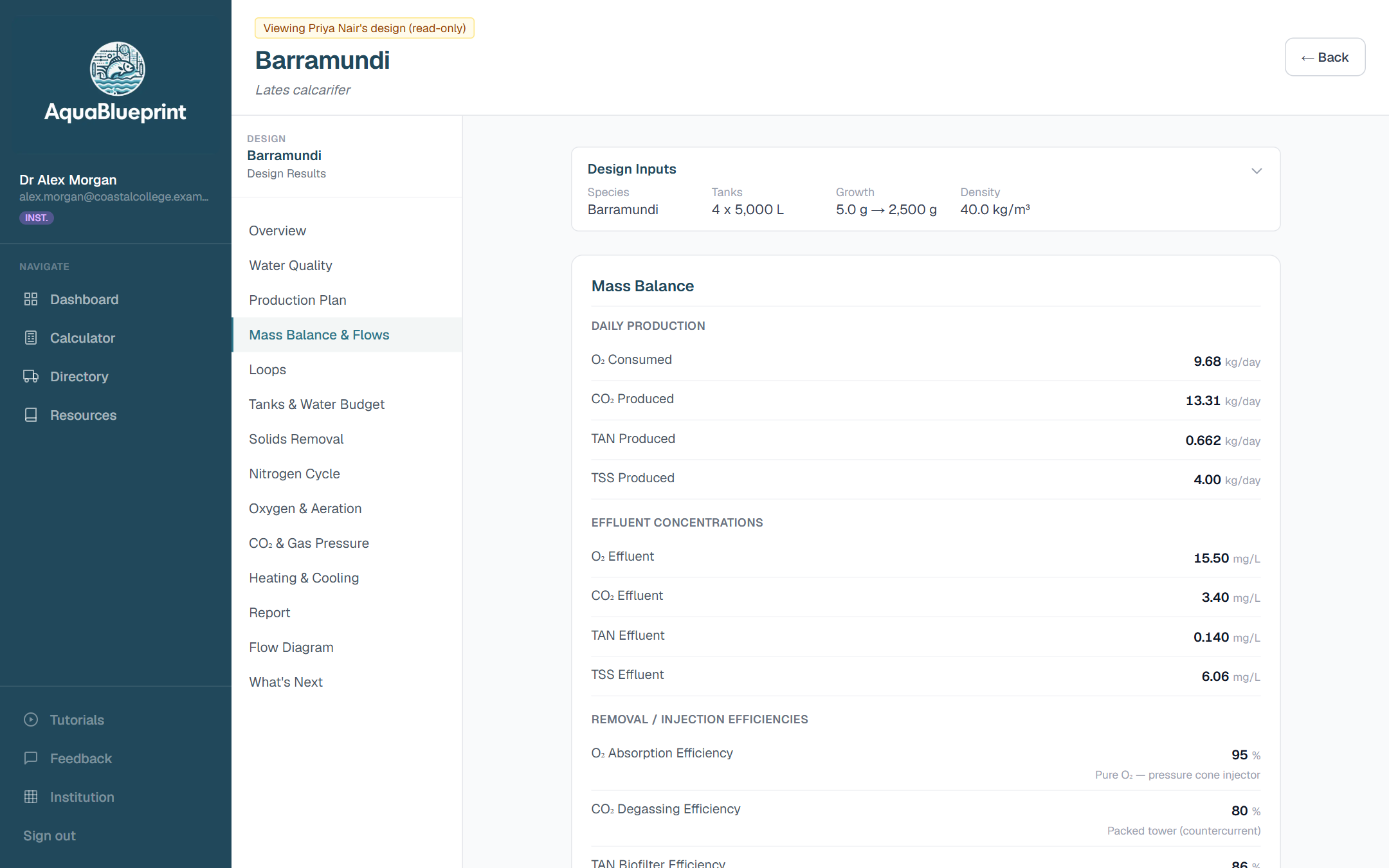
AquaBlueprint applies a mass balance approach using published, widely taught formulas, and lays the working out section by section. A student can raise stocking density and watch the consequences travel through the whole system in seconds. That is the conversation most teachers want to be having in class.
From a species to a sized system
Every step of the design wizard feeds the next, so the final numbers are derived from the student's own species, water and production target.
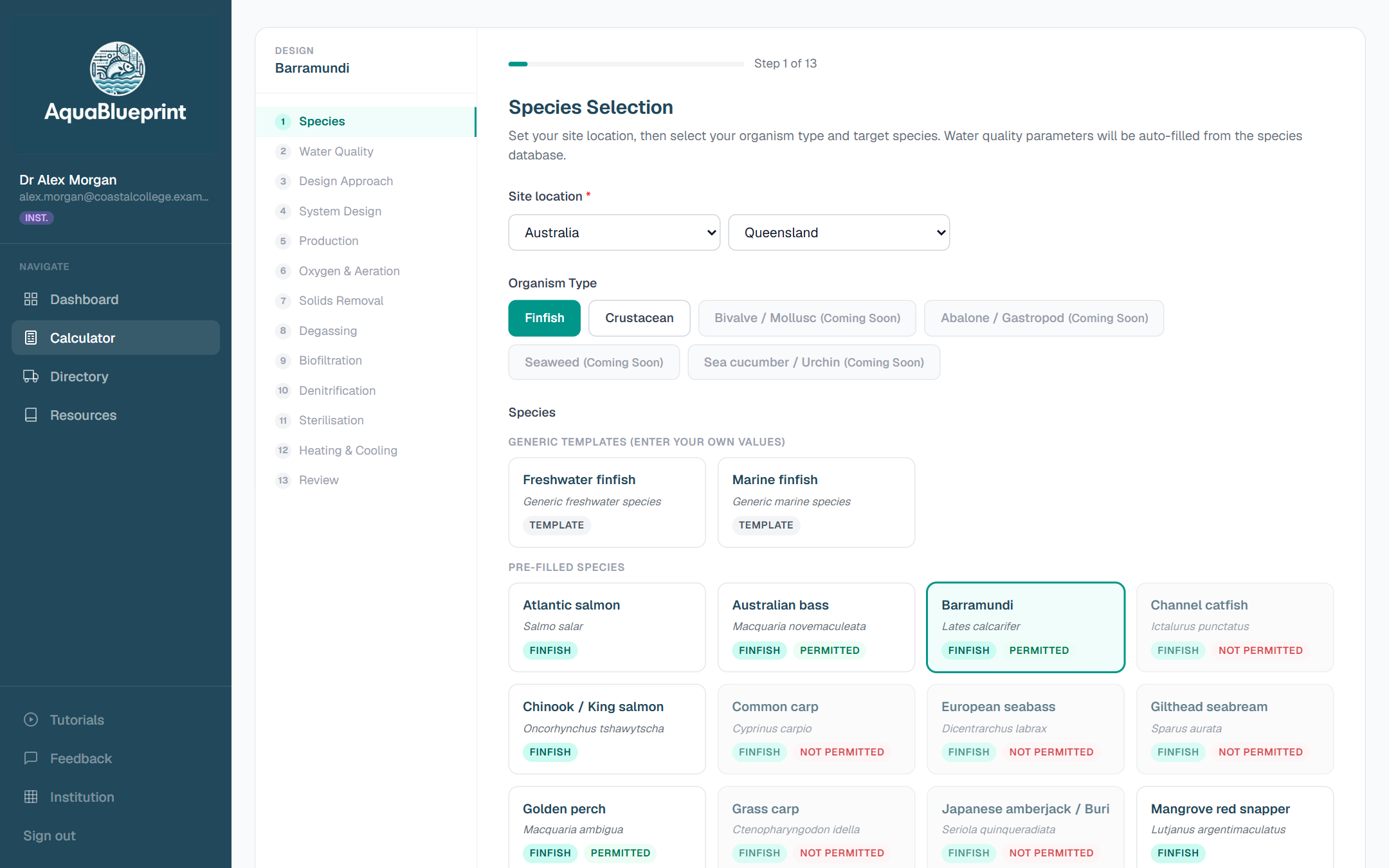
Choose a species and a site
More than 25 finfish and crustacean species, each with growth parameters and water quality limits drawn from published literature. The site location flags which species are permitted in that jurisdiction.
Set a production target
Stocking and harvest weights, stocking density, tank numbers and feeding. The 13-step wizard walks through water quality, solids, biofiltration, oxygen, degassing and temperature control in a logical order.
Read the results, then test them
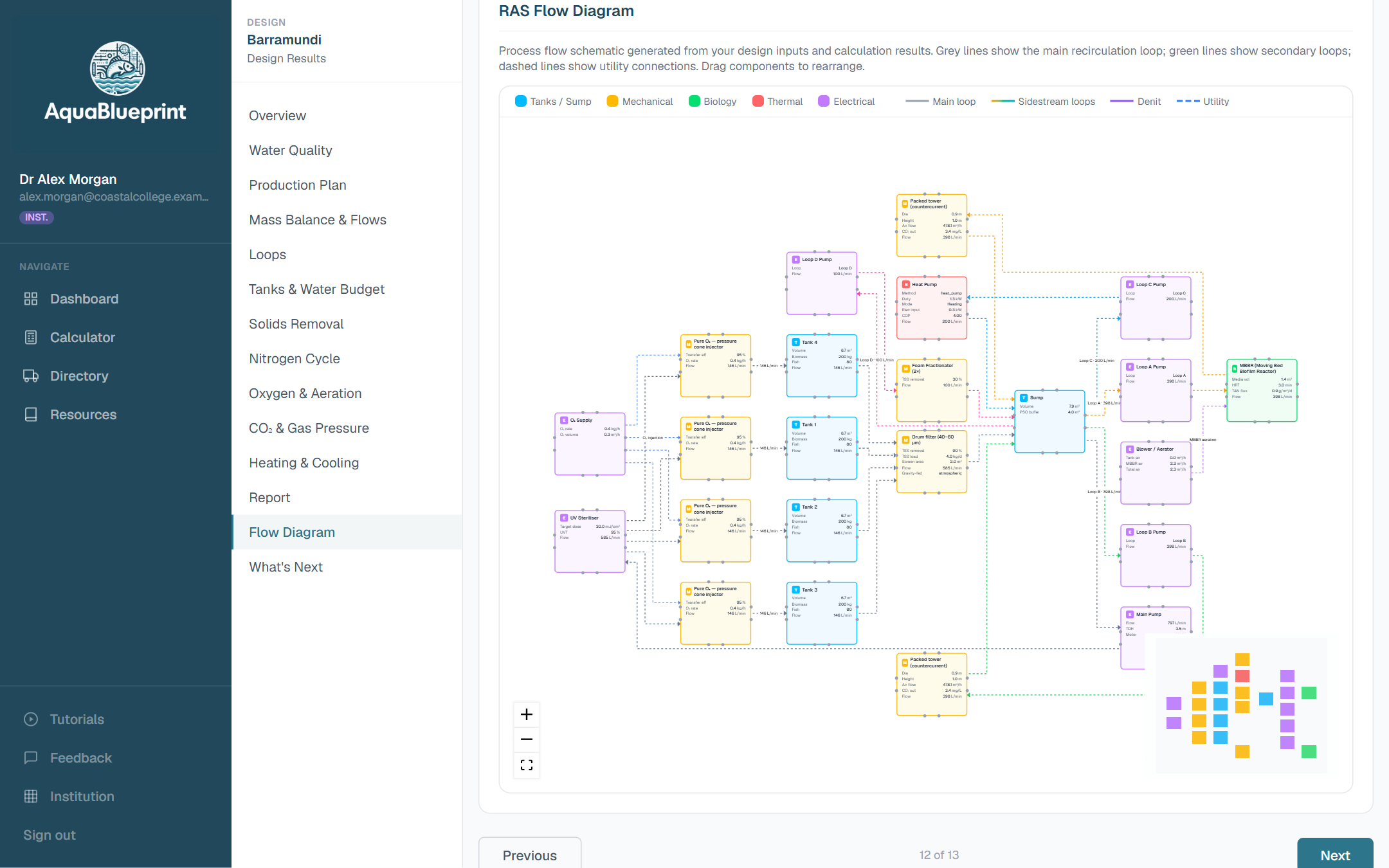
Mass balance, oxygen demand, CO₂, TAN and nitrate, biofilter sizing, flow rates and pump duties. Change one input and see what moves. Design warnings explain what is out of range and why.
Compare scenarios, size the pumps, write it up
Designs live inside projects, and each project has tools that pick up where the wizard leaves off.
Scenario comparison
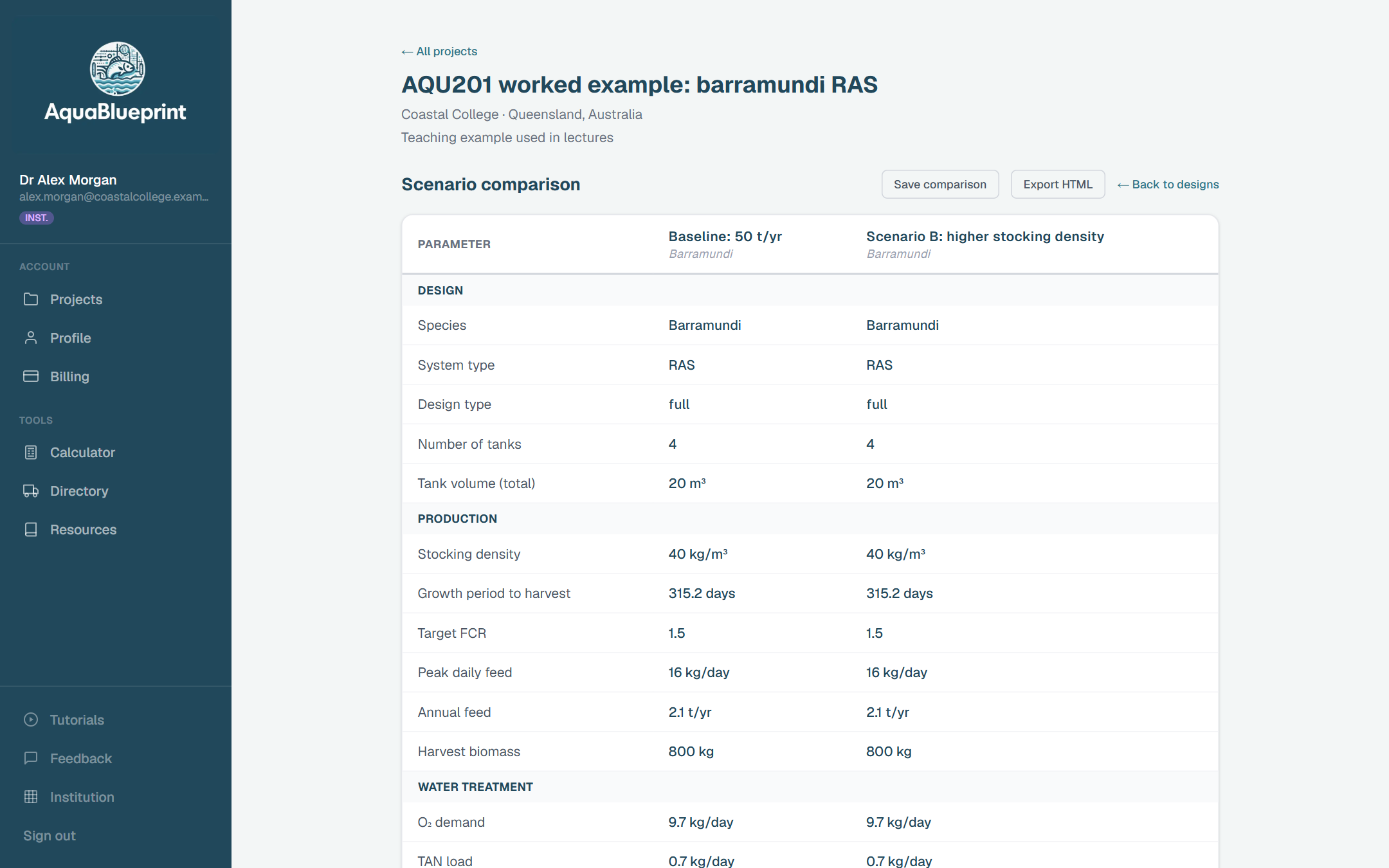
Two or three designs side by side, parameter by parameter. A natural fit for “change one thing and explain the difference” assignments.
Hydraulic modeller
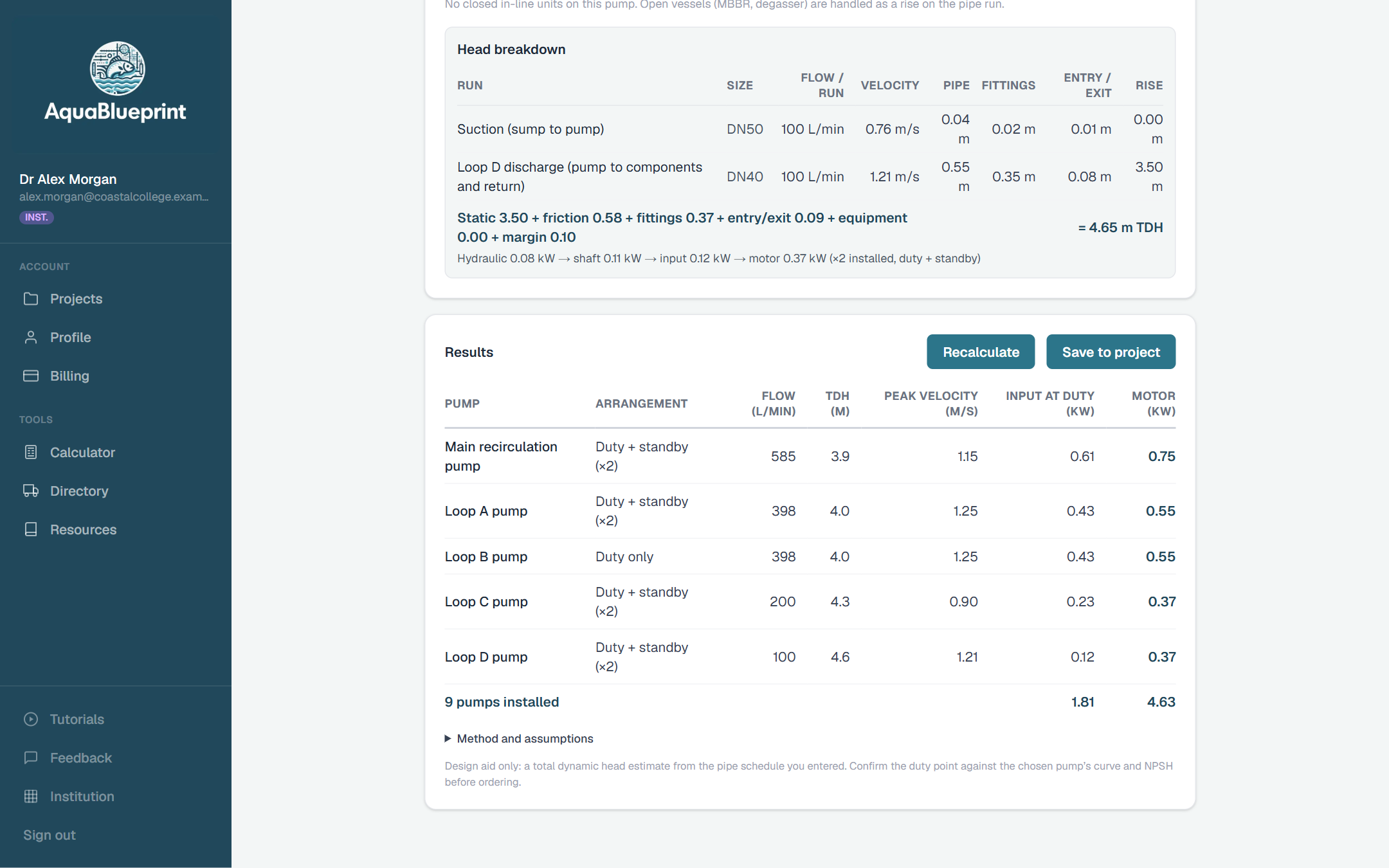
Lay out the pipe runs and fittings for each pump and get friction losses, total dynamic head and motor size, with the head breakdown shown line by line.
Design report summary
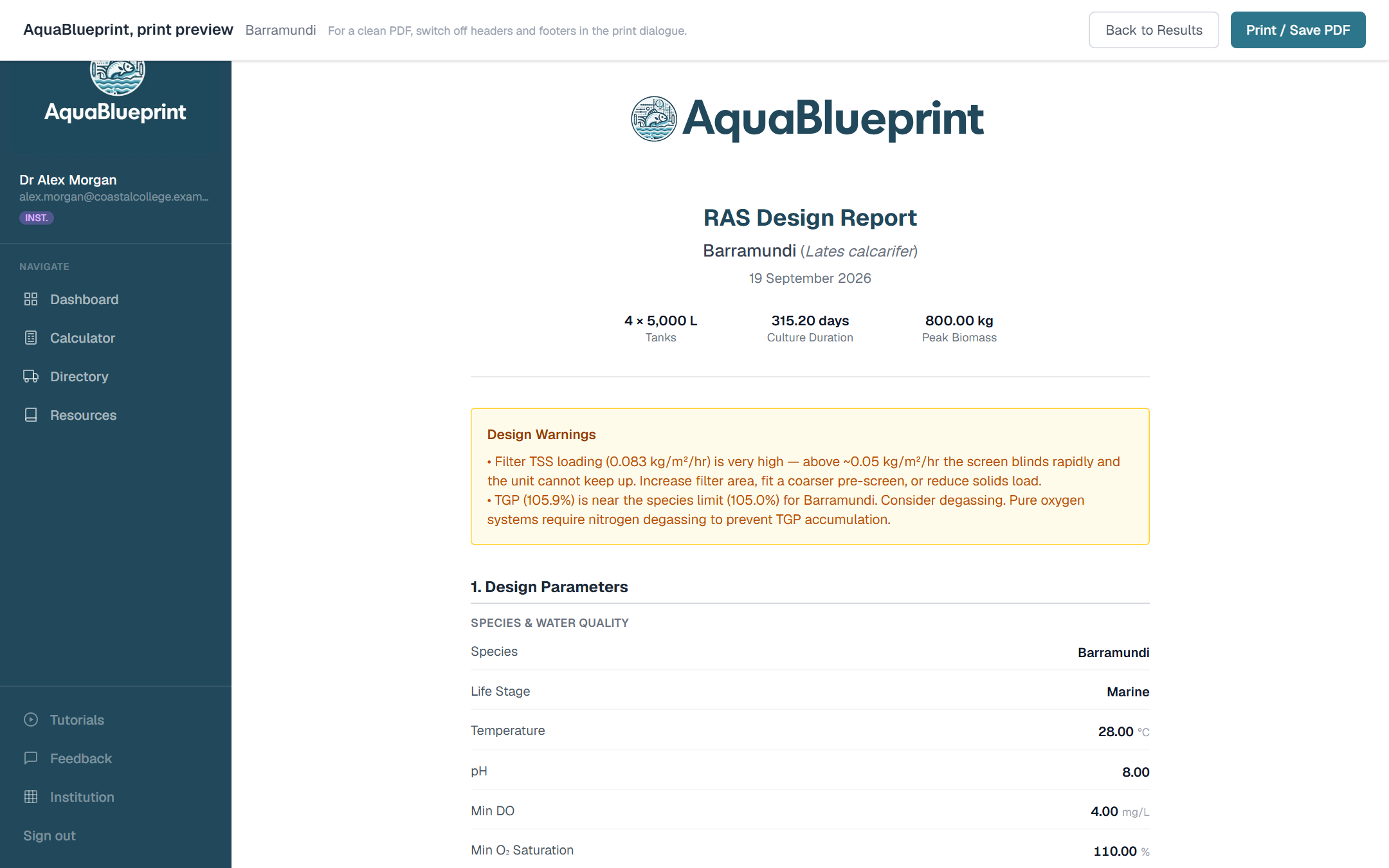
A print-ready summary of inputs, results and warnings that students can save as a PDF and submit with their written work.
Also included
- Financial analysis: revenue, energy, consumables, labour, CAPEX and multi-year feasibility
- IMTA and polyculture designer (beta)
- Tutorials with walkthrough videos and explainers that cite published sources
- A resources library of hatchery manuals, scientific papers and guides
In development: equipment selection with a bill of materials, and bivalve and seaweed calculators.
The institution dashboard
An institutional plan adds a management layer for the people running the course. One primary administrator, as many co-administrators as you need, and a seat for every student.
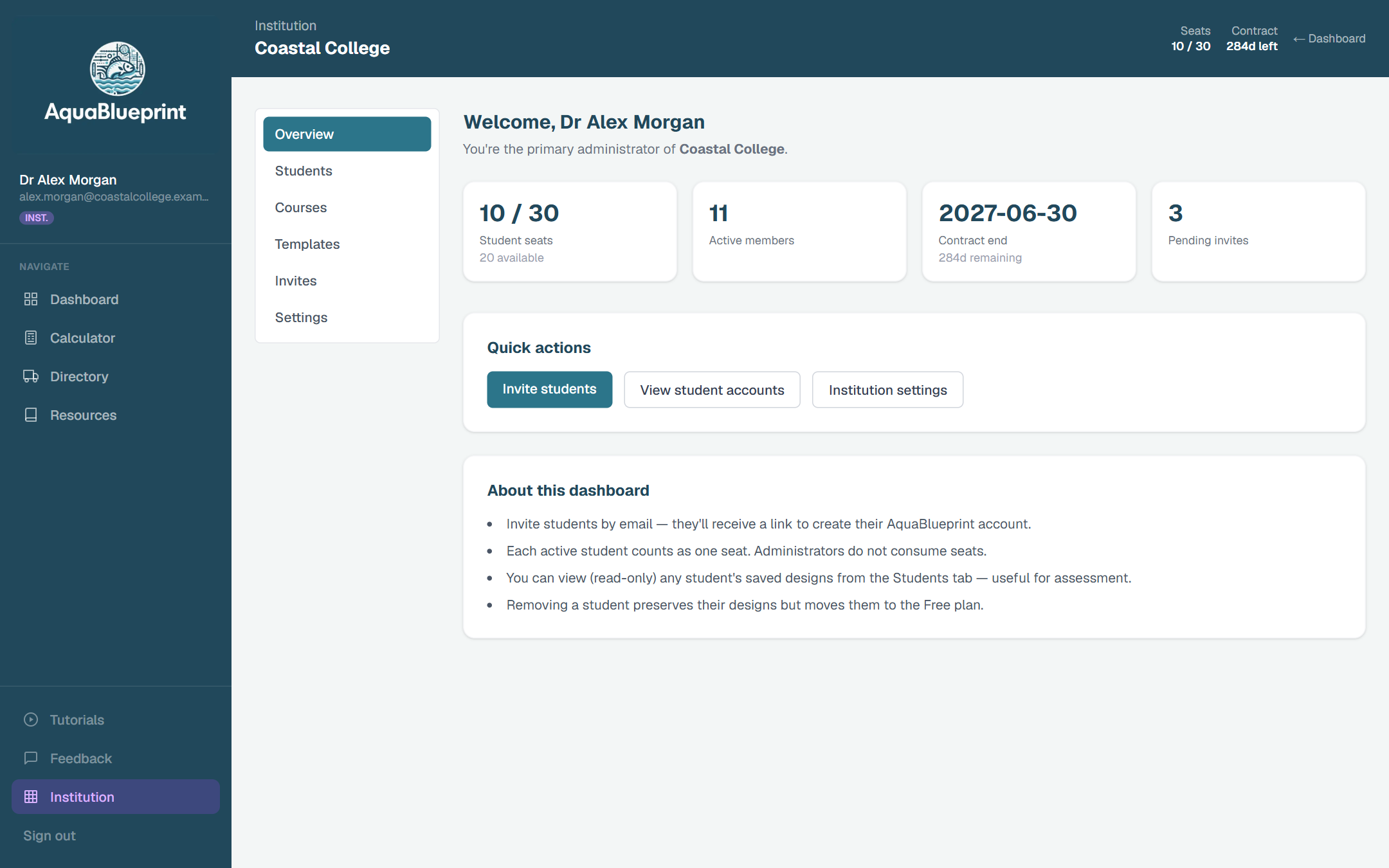
Seat management
A set number of student seats per contract. Administrators don't consume seats, and seats can be reassigned between intakes.
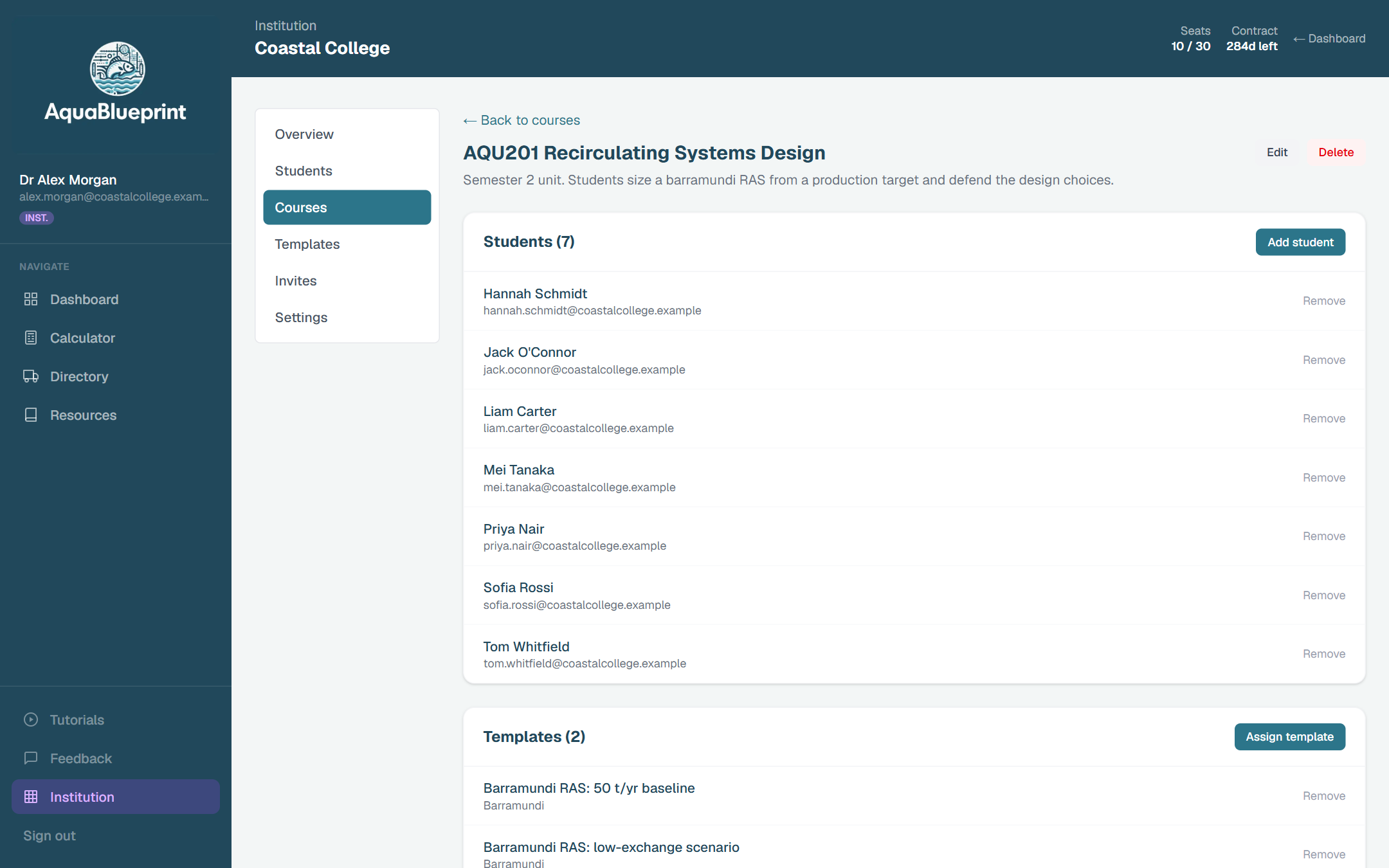
Courses
Group students by unit, block or intake. Each course has its own student list and its own set of design templates.
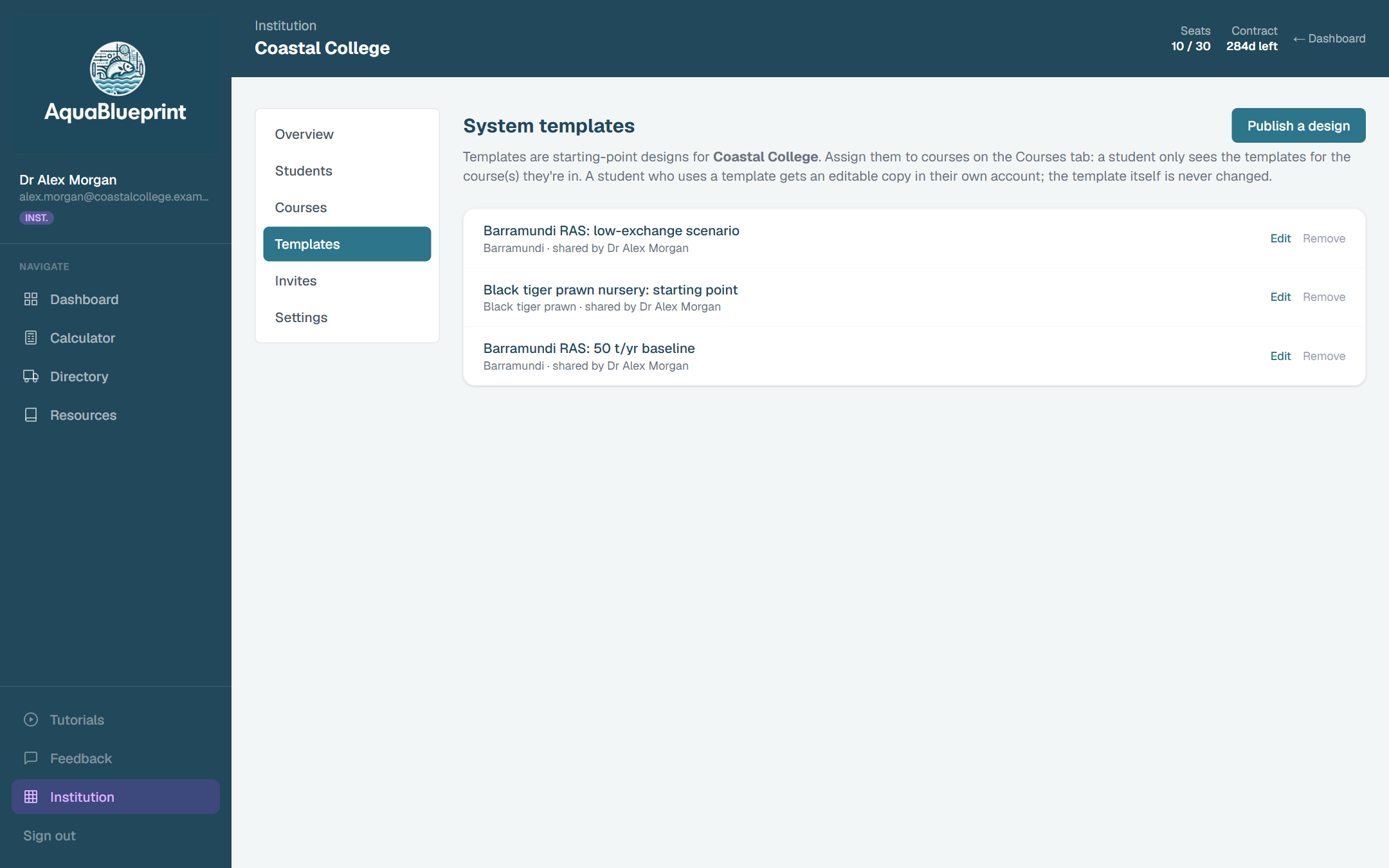
Design templates
Publish a starting design for a class. Each student gets an editable copy in their own account, and the original is never changed.
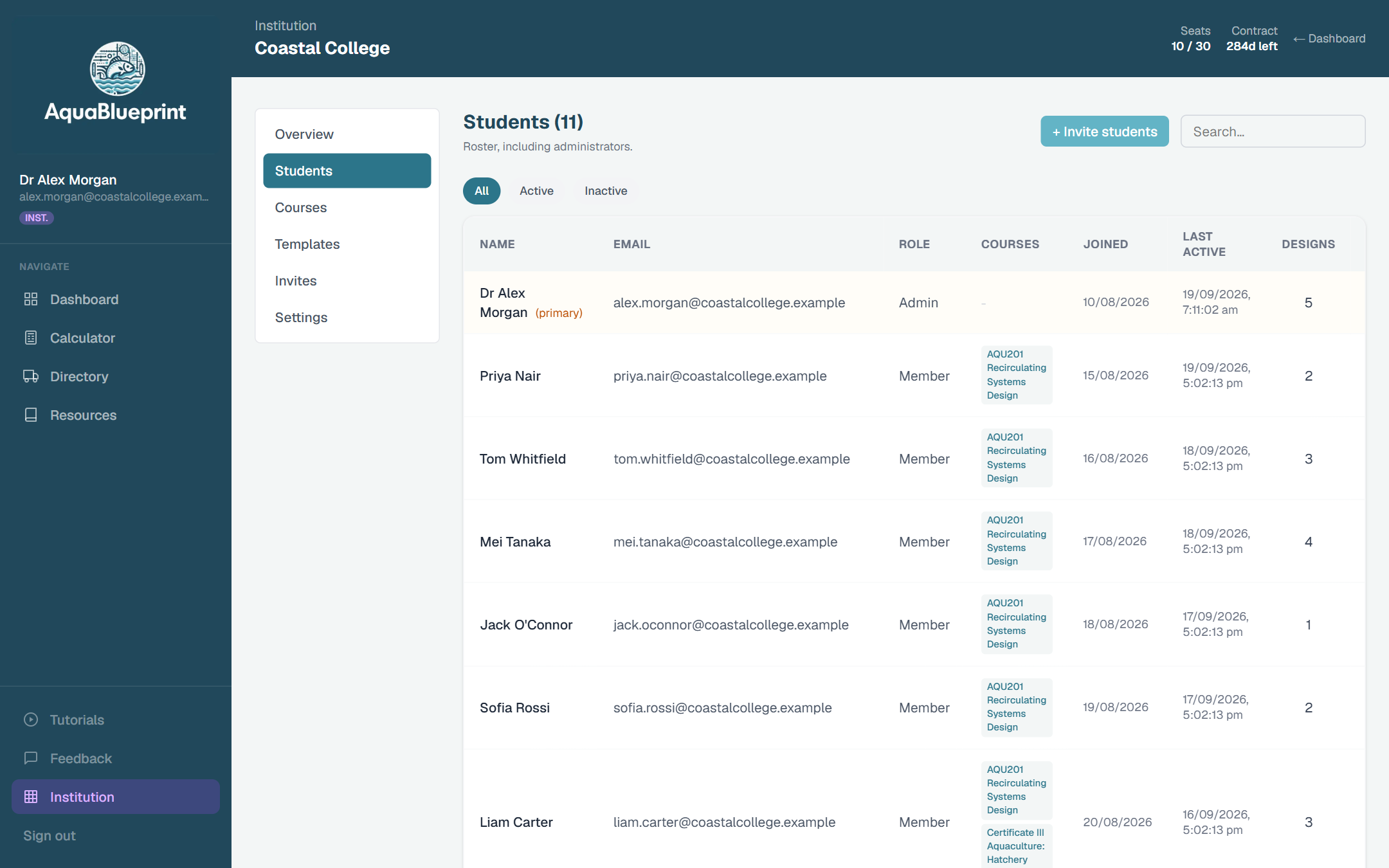
View student designs
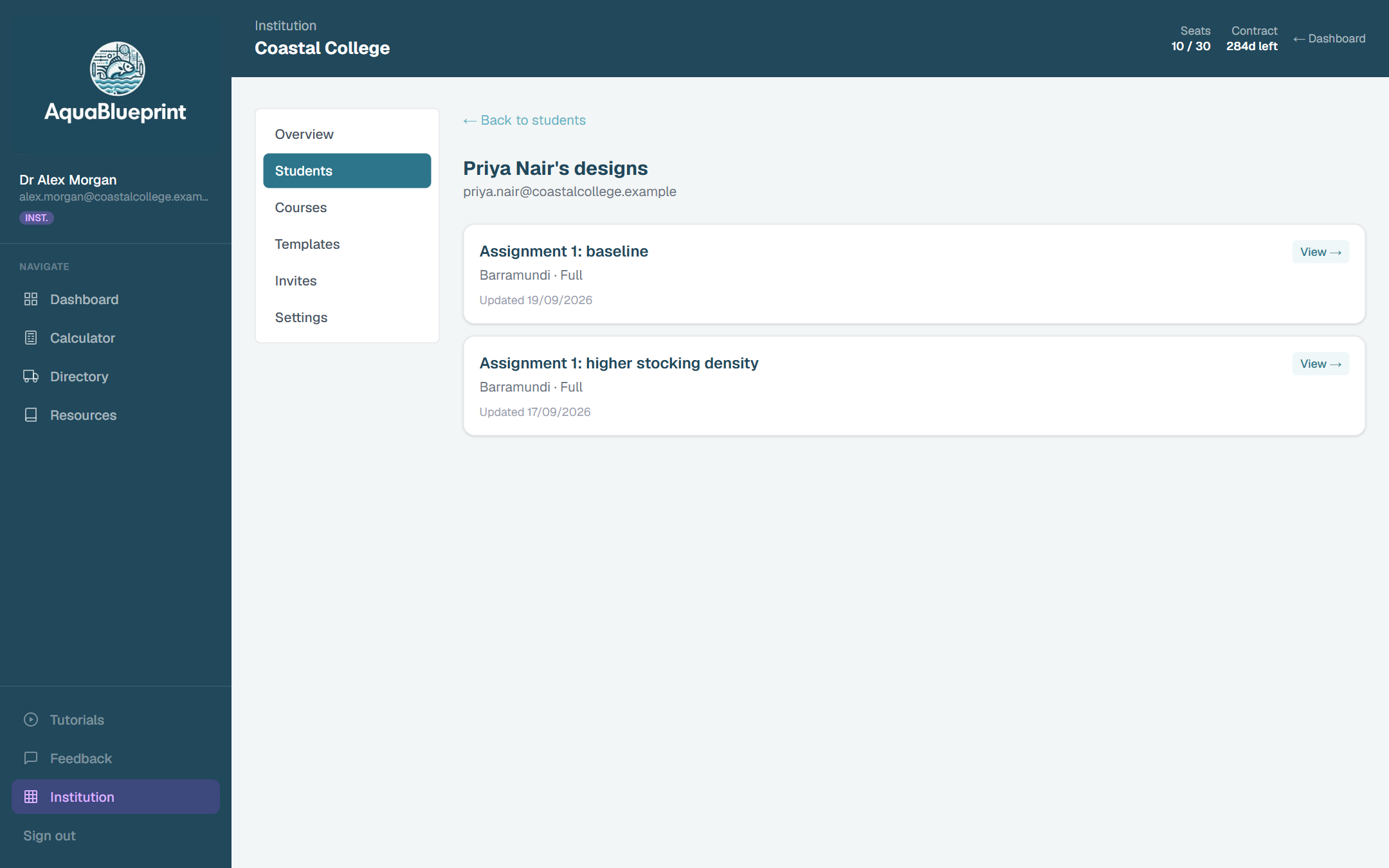
Open any student's saved design, read-only, with every input and result exactly as they left it. Useful for marking and for feedback in class.
Single and bulk invites
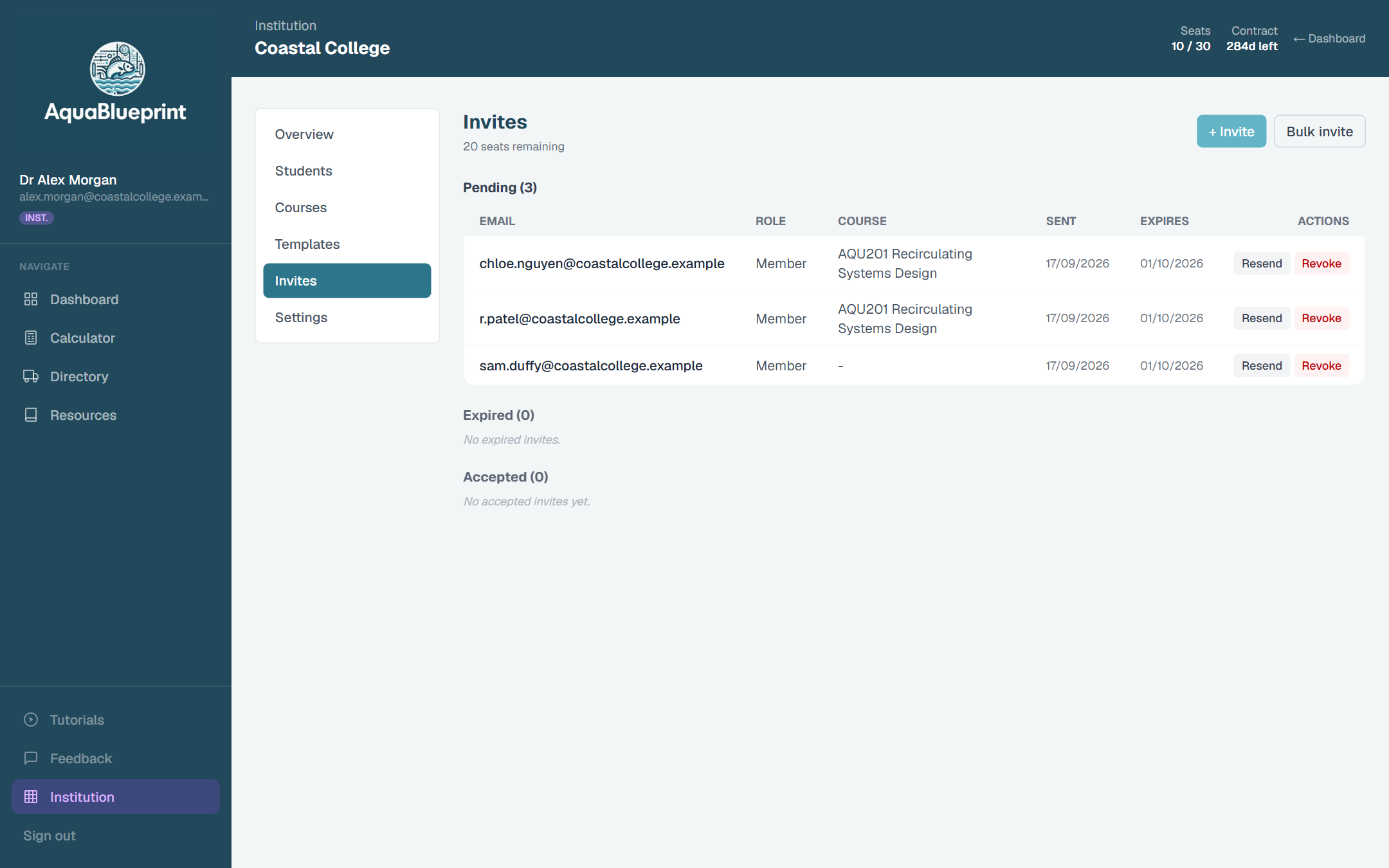
Paste a class list and invite everyone at once. An invite can carry the course, so a student lands in the right course with its templates on first login.
Co-administrators
Promote teaching staff to share administration, and transfer the primary administrator role when staff change.
Four ways it gets used
A single practical session
Students load a template, change stocking density or feed rate, and explain what happened to oxygen demand and biofilter size. Two hours, no spreadsheet setup.
A semester design project
Each student or group takes a species and a production target through to a complete design, then defends the choices. The comparison tool puts scenarios side by side.
A capstone or feasibility study
Designs carry through to pump sizing in the hydraulic modeller and to a CAPEX and OPEX picture in the financial analysis tool, with a printable design report summary to submit.
Short courses and industry training
Give trainees a worked system to explore before they meet the real one. Seats can be issued for the length of a block and reassigned afterwards.
Nothing is a black box
The sizing formulas are published and widely used across the industry, the same ones taught from the standard texts. Species parameters come from the literature and can be overridden when a student has better data. Defaults are labelled as defaults. When a result is out of range, the platform says so and says why.
AquaBlueprint was created by LoTech Aquaculture Pty Ltd, an Australian aquaculture design consultancy, and is supported by ongoing AquaBlueprint research and development.
AquaBlueprint produces a design report summary as a design aid for learning and early-stage planning. It isn't professional advice, and a design should be reviewed by a suitably qualified person before anything is built.
What an institutional plan includes
- Full platform access for every seat, including the complete species library
- The institution dashboard: seats, courses, templates, invites and student design view
- No advertising for staff or students
- Invoice billing to the institution, by year, semester or one-off block
- Pricing tailored to your cohort size and programme
- Direct support from the people who build the platform
Getting started
- 1Tell us roughly how many students, which courses and when they run.
- 2We agree seats and term, and set up your institution with you as primary administrator.
- 3You create your courses, publish any templates, and paste in the class list to send invites.
- 4Students accept the invite, create their account and start designing.
Common questions
- Do students need to install anything?
- No. AquaBlueprint runs in a current web browser on a laptop or desktop. Students create an account from an emailed invite link.
- What do students keep when the contract or their enrolment ends?
- Their designs stay in their own account. Removing a student from the institution moves them to the Free plan and preserves their saved work.
- Can teaching staff see student work?
- Institution administrators can open any member's saved designs in read-only mode. They can't edit a student's design. AquaBlueprint doesn't include assignment submission or grading; it sits alongside your learning management system rather than replacing it.
- What personal information is collected from students?
- Account details (a name and an email address) and the designs they save. Our privacy policy has the full detail, and a security and privacy summary is available on request to support your vendor review.
- Which system types are covered?
- Recirculating aquaculture systems for finfish and crustaceans are the core of the platform. An integrated multi-trophic (IMTA) designer is available in beta. Bivalve and seaweed calculators are on the roadmap and aren't available yet.
- How is it priced?
- By the number of seats and the contract term, invoiced to the institution. Tell us about your cohort and programme and we'll send a quote.
See it with your own course in mind
Send us a line about your programme and we'll reply within two business days with a quote or a recorded walkthrough built around your course.